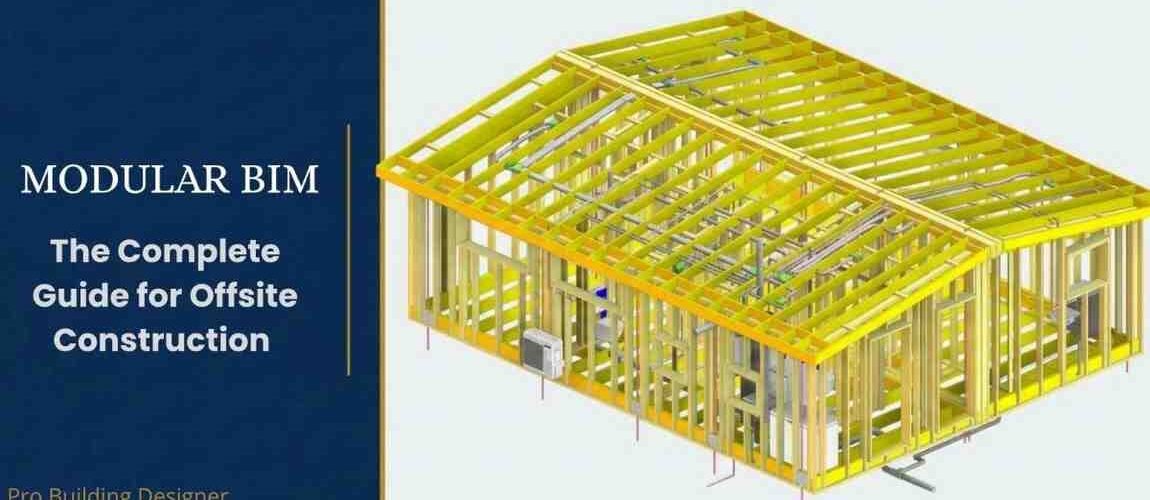
If you’re involved in modular or offsite construction — whether you’re running a factory, managing a BIM team, or overseeing prefab production — you’ve likely heard the term “modular BIM” thrown around. But what does it actually mean in practice? And more importantly, how does it change the way your projects are delivered?
This guide covers everything you need to know about modular BIM: what it is, how it works, why it matters for offsite manufacturers, and how to implement it effectively across your production workflow.
What Is Modular BIM?
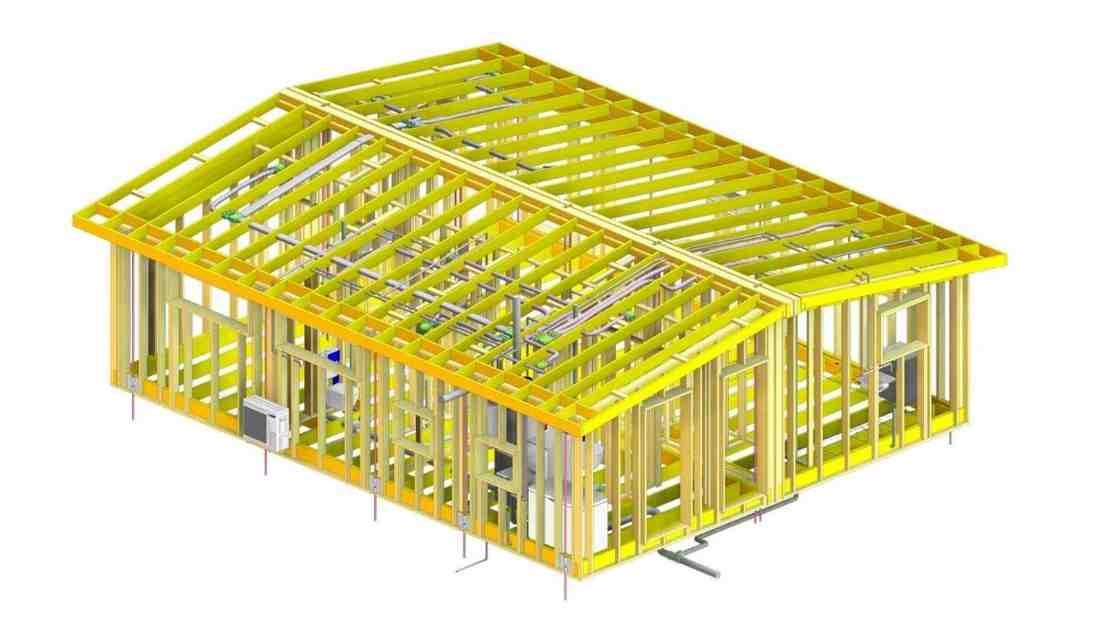
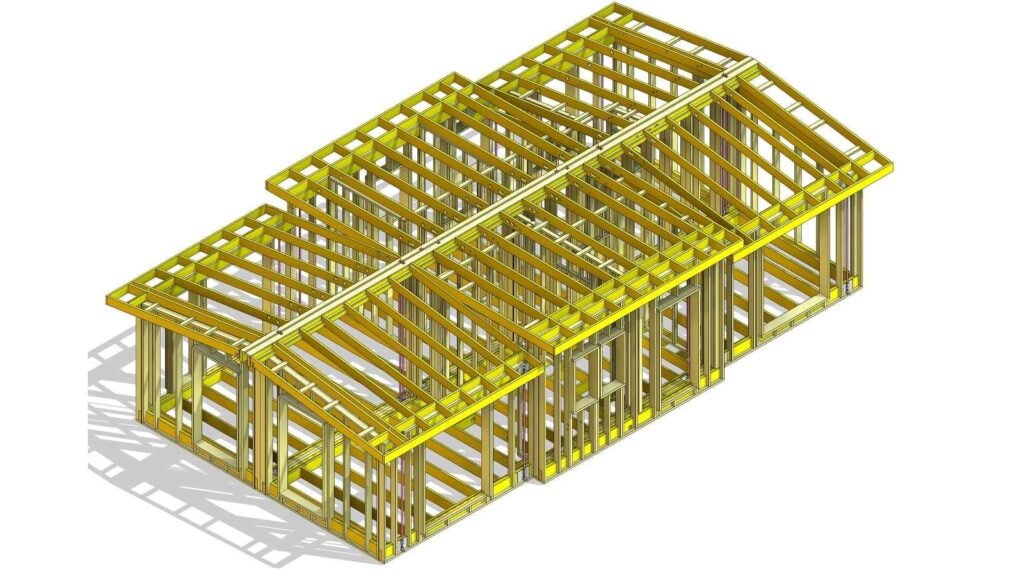
structural and MEP coordination for offsite construction
Building Information Modeling (BIM) has been part of the construction industry for decades. But modular BIM is a specific application of BIM methodology tailored to the unique demands of offsite and prefab construction.
In traditional construction, BIM is used primarily for design coordination and clash detection before site work begins. In modular and offsite construction, BIM goes further — it becomes the central data source that drives factory production, shop drawing generation, material procurement, and assembly sequencing.
The key difference is this: in modular BIM, the model is not just a design tool. It is a production tool.
Every wall panel, floor cassette, volumetric module, or structural frame is modeled to a level of detail that allows it to be fabricated directly from the model data — without manual interpretation, without 2D redrawing, and without the errors that come from disconnected workflows.
Why Offsite Construction Demands a Different BIM Approach
Offsite construction operates under constraints that site-built construction does not. When you are building modules in a factory, tolerances are tighter, schedules are fixed, and rework is far more expensive.
Consider this scenario: a modular housing project with 80 volumetric units. Each unit is manufactured in a factory and transported to site for assembly. If a single structural connection is modeled incorrectly, or an MEP service conflicts with a structural element that wasn’t caught in coordination, the result isn’t a quick site fix — it’s a factory stoppage, a rescheduled delivery, and potentially tens of thousands of dollars in rework costs.
This is why offsite manufacturers across the US, UK, and Australia are moving aggressively toward model-driven production workflows. The cost of a coordination failure in a factory environment is simply too high to manage with 2D drawings and reactive problem-solving.
Modular BIM eliminates this risk by creating a single, coordinated model that all trades — structural, architectural, MEP — work from simultaneously. Clashes are found and resolved in the model, not on the factory floor.
The Core Components of a Modular BIM Workflow
Understanding modular BIM means understanding the workflow it enables. Here are the five core components that define a high-performing modular BIM process:
1. Federated Modeling
A federated model combines separate discipline models — structural, architectural, mechanical, electrical, and plumbing — into a single coordinated environment. Each discipline maintains its own model file, but all files are linked together for coordination and clash detection.
For modular construction, the federated model is essential. It allows the structural team to see exactly where MEP services run through modules, and it allows the MEP team to route services knowing exactly where structural elements are. Problems are found at the model stage, not during production.
2. Level of Development (LOD)
Not all BIM models are created equal. The Level of Development (LOD) framework defines how much geometric detail and information a model element contains — from LOD 100 (basic massing) through to LOD 500 (as-built).
For offsite construction, LOD 400 is the target for production-critical elements. At LOD 400, a model element is detailed and accurate enough to be fabricated directly from the model. This means connections are shown, fixing positions are accurate, and all clearances are modeled.
Achieving LOD 400 on structural and MEP elements before production begins is the single highest-return BIM investment an offsite manufacturer can make.
3. Shop Drawing Generation
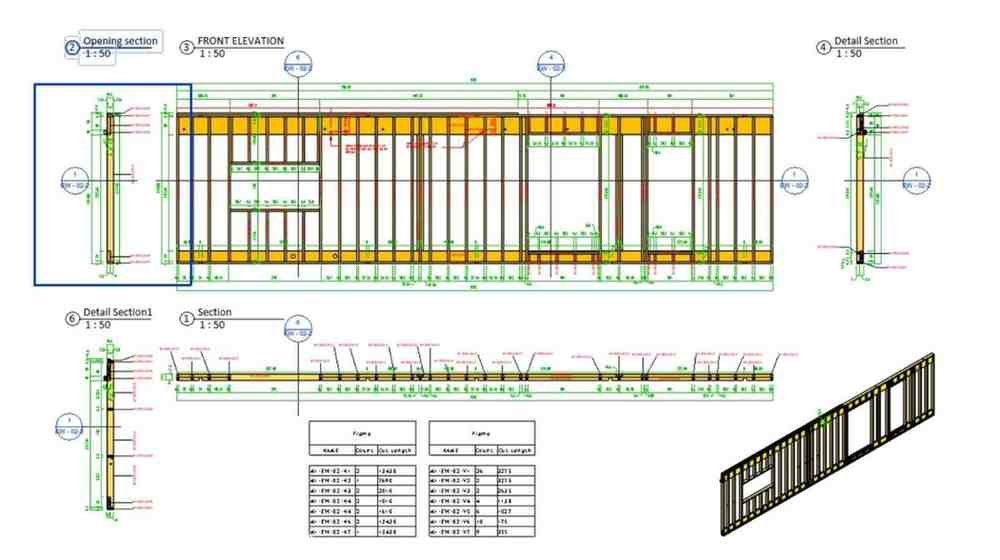
In a well-structured modular BIM workflow, shop drawings are not created from scratch. They are generated directly from model views — section cuts, elevations, and details extracted from the coordinated model and formatted for fabrication.
This model-driven approach eliminates the most common source of drawing errors: the gap between design intent and the drafter’s interpretation. When a drawing is generated from a model, what you see in the drawing is exactly what is in the model.
💡 Need production-ready shop drawings for your modular project? Explore our BIM services →
4. Clash Detection and Resolution
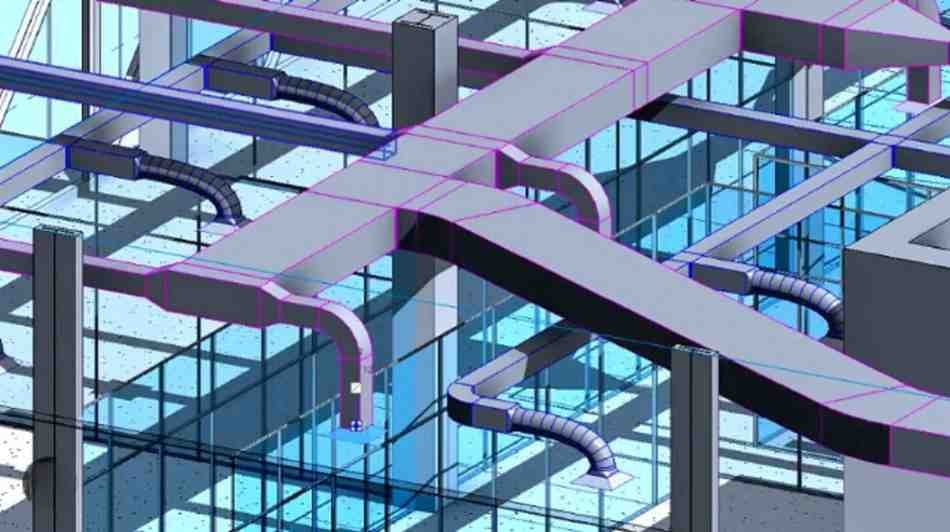
Clash detection is the process of identifying conflicts between different building elements in the coordinated model. A hard clash is a physical conflict — two elements occupying the same space. A soft clash is a clearance violation — elements that don’t physically overlap but don’t have sufficient clearance for installation or maintenance.
For modular construction, clash detection needs to happen at the module level — checking not just within a single module, but at module interfaces and connections. A service that routes cleanly within one module may conflict at the connection point with an adjacent unit.
Tools like Autodesk Navisworks are industry standard for clash detection, though Revit’s built-in interference checker works well for simpler projects.
5. BIM Execution Plan (BEP)
A BIM Execution Plan defines how BIM will be implemented on a project — software standards, LOD requirements, coordination protocols, file naming conventions, and responsibilities. For modular projects, the BEP also needs to address factory-specific requirements: CNC export formats, material schedule standards, and module sequencing data.
Without a BEP, every project reinvents the wheel. With a well-written BEP, your entire team — internal and supply chain — works from the same rulebook from day one.
Common Challenges in Modular BIM Implementation
Even with the best intentions, modular BIM implementation faces predictable challenges. Understanding them in advance helps you avoid the most costly mistakes.
Challenge 1: Inconsistent LOD Across Trades
The most common coordination failure is when one discipline models to LOD 400 and another models to LOD 200. Clash detection between these models is unreliable — the low-detail model will hide conflicts that only emerge during fabrication.
The fix is simple: define LOD requirements per trade per phase in your BEP, and enforce them through model audits before issuing for production.
Challenge 2: Late BIM Involvement
BIM coordination that starts after design is complete is always reactive. By the time the coordination team is brought in, major decisions have already been made that constrain the model. The most effective modular BIM implementations start coordination in the design phase, not after it.
Challenge 3: Supply Chain BIM Capability Gaps
Not every subcontractor or supplier works in BIM. When a key trade — particularly MEP — delivers only 2D drawings, the federated model has a gap that requires manual modeling to fill. This is where specialist BIM support becomes valuable: rebuilding 2D information into model-ready data so the coordination workflow can proceed without compromise.
Why Modular Manufacturers in the US and UK Are Investing in BIM Now
The business case for modular BIM has never been stronger. Across the US and UK, the modular construction sector is growing rapidly — driven by housing demand, labor shortages on traditional sites, and increasing pressure to deliver projects faster and with more predictable outcomes.
In the US, manufacturers delivering volumetric modular residential and commercial projects are finding that BIM is not just a nice-to-have — it’s a competitive requirement. Clients expect coordinated models. Contractors expect model-driven shop drawings. The firms that cannot deliver this are losing work to those that can.
In the UK, the government’s commitment to modern methods of construction (MMC) and the increasing adoption of ISO 19650 standards are creating a compliance-driven push toward BIM maturity across the offsite sector.
For manufacturers in both markets, the question is no longer whether to adopt modular BIM — it’s how to implement it effectively without disrupting existing production workflows.
Getting Started with Modular BIM
If you’re beginning your modular BIM journey, these are the most important first steps:
Start with a BIM Execution Plan. Before any modeling begins, agree on the standards your team will work to. LOD requirements, software, file formats, coordination protocols — define these upfront and save yourself weeks of rework.
Invest in LOD 400 for structural and MEP. These are the elements that cause the most expensive problems when wrong. Getting them to fabrication-ready accuracy before production begins pays for itself on every project.
Generate drawings from the model, not alongside it. The moment you have a team creating shop drawings manually from a BIM model rather than extracting them, you’ve introduced a second source of truth — and a second source of errors.
Build clash detection into your workflow, not onto the end of it. Clash detection is most valuable when it happens early and often — not as a final check before issuing for production.
How Pro Building Designer Supports Modular BIM
At Pro Building Designer, we work with modular manufacturers, prefab builders, and offsite construction teams across the US, UK, and Europe to deliver production-ready BIM — from LOD 400 modeling and shop drawing packages to full MEP coordination and clash detection.
Our team works in Revit, Tekla, Navisworks, and AutoCAD, and we understand the specific demands of factory production environments. Whether you’re implementing BIM for the first time or need specialist support on a complex modular program, we work as an extension of your team — delivering coordinated, fabrication-ready output on your timeline.
Ready to implement modular BIM on your next project? Book a free consultation with our BIM specialists →
Conclusion
Modular BIM is not simply BIM applied to modular construction. It is a production-first approach to digital modeling that treats the model as the source of truth for every downstream workflow — from shop drawings and material schedules to CNC fabrication and site assembly.
For offsite manufacturers serious about reducing rework, improving coordination, and delivering projects with greater speed and predictability, modular BIM is not optional. It is the foundation of a competitive, scalable production operation.
The manufacturers winning in modular construction today are the ones who understood this early and built their workflows around it. The question is where your organization stands — and what it would take to get there
